
FinOps for AI on Azure, by MILL5: AI spending is growing faster than what it earns.
Start with the capacity nobody is using. MILL5 runs a read-only analysis of your Azure AI estate and shows you what is idle, what it costs each month, and who can act on it.
Ask for a walkthroughIt runs in your own tenant and never reads prompts, completions or your documents.
Scroll sideways to see the whole chart.
Try it on a sample estate
This is what the analysis hands you. Tick a finding once you would act on it, and watch the total move.
-
Provisioned capacity with no traffic
150 units billed every hour. No requests in 30 days.
Elena VasquezOwner, by tag
$39,000a month, estimated
-
Capacity sized above its busiest hour
300 units provisioned. The busiest hour used well under half.
Marc OyelaranOwner, by role
$36,400a month, estimated
-
Hourly billing where a reservation would cost less
50 units with no reservation covering them.
Hana OkaforSubscription owner
$23,500a month, estimated
-
Training cluster that never scales to zero
Two machines stay allocated when no job is running.
Dan WhitlockOwner, by role
$4,468a month, estimated
-
GPU machine that looks idle
Almost no processor activity in 30 days. Confirm with whoever uses it.
Nobody foundAsk the subscription owner
$1,962a month, estimated
-
Model deployment nothing calls
It costs nothing while idle, but it holds quota and can still be called.
Elena VasquezOwner, by tag
A risk. No figure.
-
AI resources with no budget
Three subscriptions hold AI resources and have no budget set.
Nobody foundAsk the subscription owner
A risk. No figure.
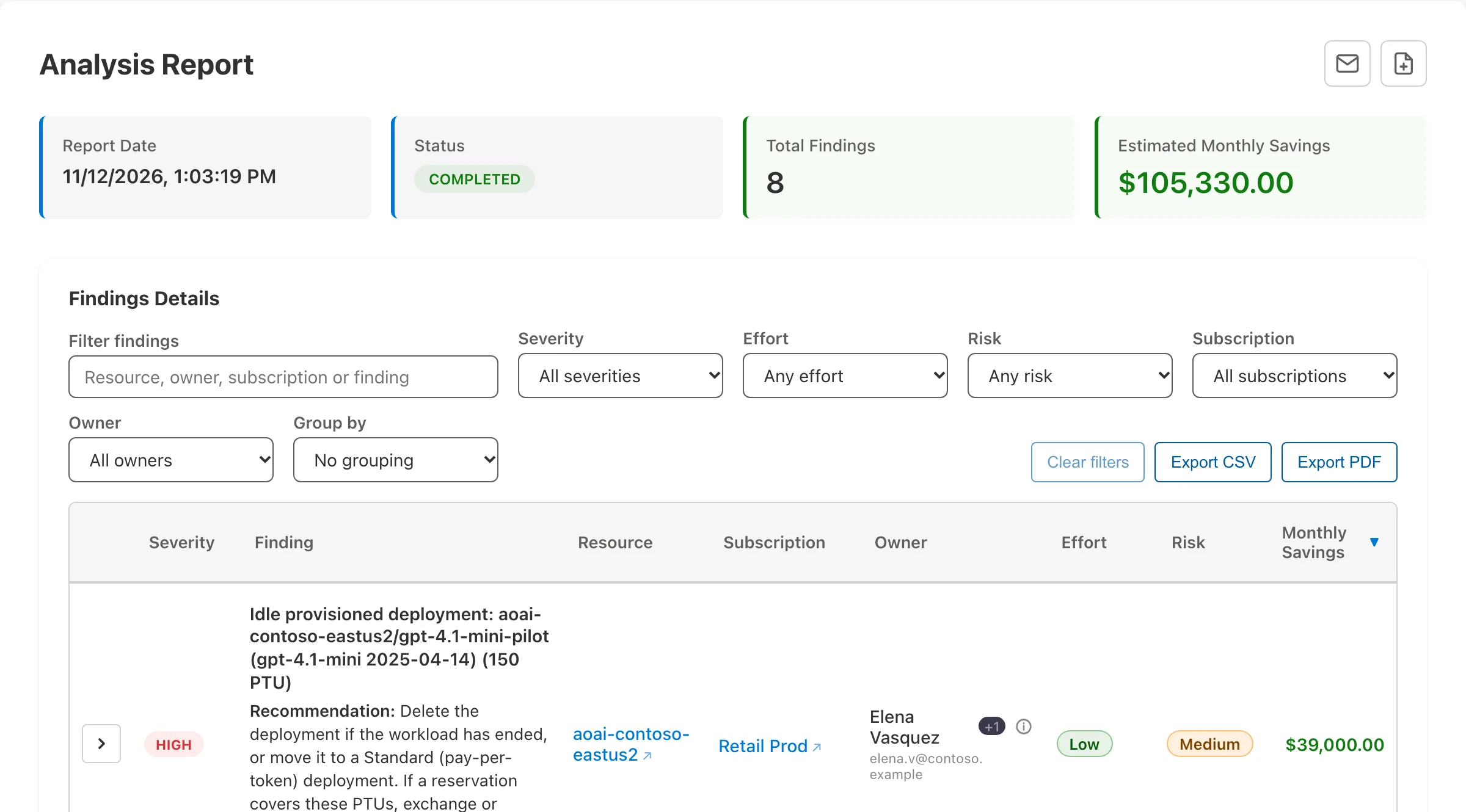
Scroll sideways to see the whole screen.
What you leave with
A number
What your idle and oversized AI capacity costs each month, finding by finding. Estimates, for your team to check.
A name
The person connected to each deployment and how we know. Some will have nobody, and the list says so.
An order
Resize first, then commit. The analysis tells you which capacity to shrink before you reserve what is left.
How MILL5 works with you
MILL5 is a technology consulting firm and a Microsoft partner. About MILL5.
The analysis
We run FinOps for AI on your Azure estate and take you through what it found. This is where everyone starts.
Strategy
We work out with your finance and engineering leaders where spend should come down, and in what order.
Accelerate
The same installation assesses the rest of your Azure estate for cost and risk. See azurebestpractices.com.
Build
Our engineers carry out the changes you approve.
Operate
Cost governance and FinOps reporting, for clients whose cloud operations we run.
From MILL5
- The AI Capital-Efficiency Gap: AI Spending Is Compounding. Earnings Impact Is Not. Read on LinkedIn
- Tokenization Is Turning AI Into a Cost Problem Worth Solving Read on LinkedIn
- AI Is No Longer Just an Application Strategy. It's an Infrastructure Strategy. Read on LinkedIn
- OpenAI Is Getting More Efficient, And That's Your Signal to Re-Think How You Run AI Read on LinkedIn
- GPU Alternatives for AI Inference Read on LinkedIn
Score your own AI estate
Six questions. Answer honestly and you will see where the analysis would start.
Before you ask
Does it read our prompts, completions or data?
No. It reads how your AI services are configured and Azure's usage numbers, such as request and token counts. It does not call your models or search indexes, so it does not read prompts, completions or the documents in an index.
Where do our findings go?
They stay in your own Azure tenant. They are not sent to MILL5 unless you choose to share them.
How much will we save?
That depends on what is in your estate. The figures are estimates worked from Azure list prices or taken from Azure Advisor, so they may not reflect a discount you have negotiated. Each one needs a check against the workload before anyone acts.
Does this apply if we only pay per token?
Less. Pay-per-token use has little idle cost, so most of the savings here come from provisioned capacity, paid search services and machine learning or GPU compute.
What is FinOps for AI?
FinOps for AI is the practice of managing what AI workloads cost: knowing which capacity and compute you pay for, whether it is used, and who to ask about it. In Azure Best Practices Analyzer, built by MILL5, it is a read-only analysis of your Azure AI spend that runs in your own tenant.
See your own bridge
Tell us which Azure AI services you run and what you most want to find out.
Ask for a walkthroughOr write to sales@mill5.com. Already a MILL5 client? Ask your MILL5 team.